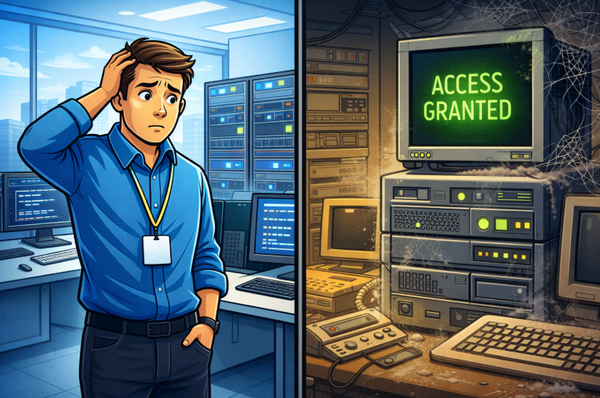
Business continuity planning for cloud service outages: What Lessons Can We Learn
A cloud outage can interrupt more than email. It can affect how your team communicates, accesses files, and signs in to needed tools for work. Disruptions bring that risk into focus. In this article, I look at practical ways to prepare for service outages.

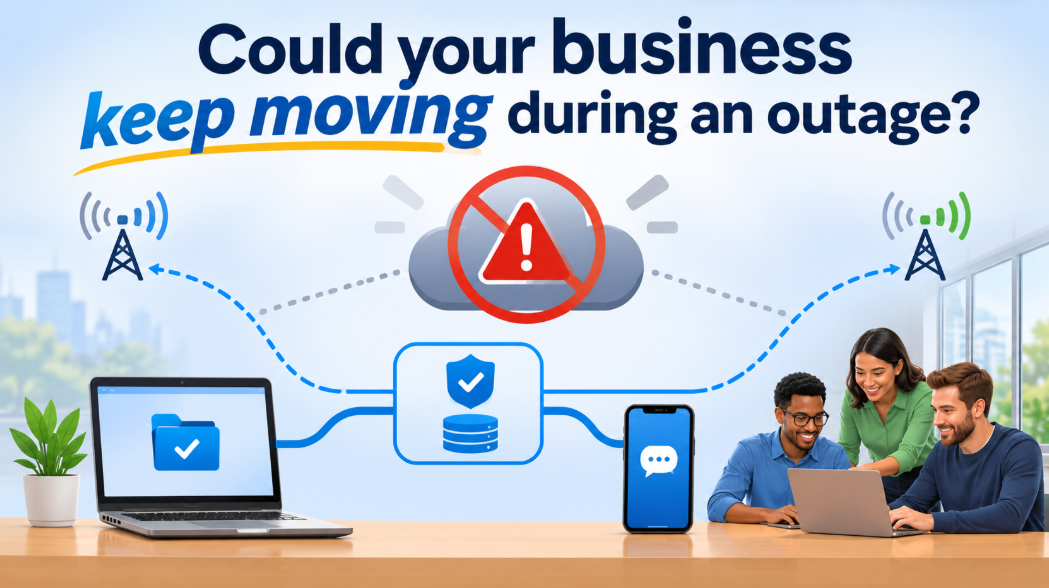
I remember a conversation with a psychologist who shared some of the things he does during the hurricane season in Jamaica. In addition to keeping extra food and water, he used mobile service from two different providers.
I found that interesting. I would have my cellphone, of course, but two providers? At the time, I didn’t realize the wisdom of that decision. He said it helped him stay connected during a hurricane when one provider’s service was down for several hours.
That came to mind this week as a Microsoft 365 outage disrupted services such as emails, OneDrive, Teams and others, affecting businesses that rely on them.
I recently shared an article about an approach I think deserves more attention: understand the technology your business uses, identify what could go wrong, and put measures in place to reduce the impact.
I focused on cybersecurity in that article. I used two WordPress websites I had restored after they were hacked. One of them, despite being compromised, was not affected in the same way as the other because a particular configuration helped limit the impact.
But this approach should apply to more than cyberattacks. It should also cover service outages and other events that could affect a business's operation.
Depending on how important a service is to your business, you may need a fallback so you can keep operating if your primary service provider becomes unavailable.
Many organizations spend money protecting themselves against cyberattacks while remaining dependent on a single service provider or service for critical operations.
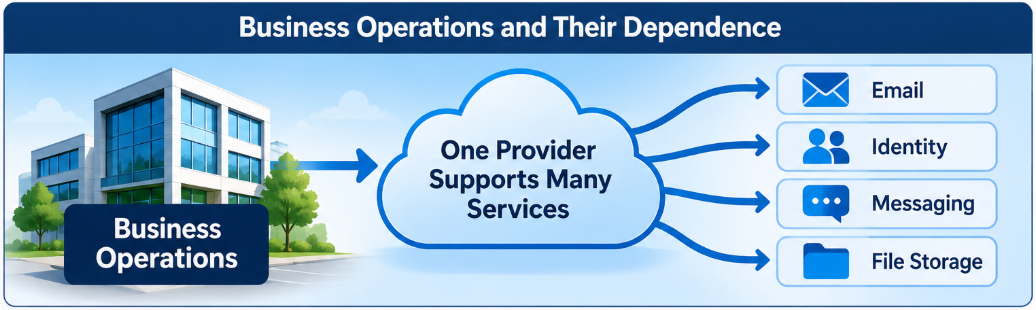
What should businesses consider?
Backups help recover lost or damaged data. Business continuity planning helps keep essential operations running during a disruption. They’re related, but they solve different problems. NIST describes continuity planning as sustaining essential business operations during disruptions.
If your email or cloud service goes down, a backup may help you recover data later, but at the moment of downtime, it won’t give your staff a way to work during the outage. So what will?
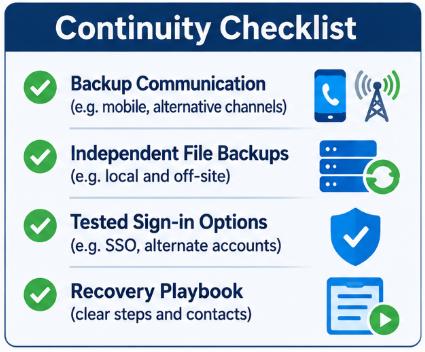
Here are few ways to start:
1. Identify critical files and processes. If you use OneDrive, Google Drive, or another cloud storage service, consider keeping a separate copy of your critical files. Make sure you also have independent backups with version history; syncing alone may copy unwanted changes or deletions.
2. Choose a backup communication channel. If you use Slack, Microsoft Teams, or another messaging service, decide how staff will communicate if it’s unavailable. A separate provider may help, but check whether it depends on the same identity service, cloud region, network, or other infrastructure.
3. Plan for email interruptions. Email continuity services can provide a way to access or send email during an outage, depending on how they’re configured. A secondary MX record by itself may help route or queue incoming messages, but it doesn’t give staff a working inbox or the ability to send emails. Test the full process, including how staff and clients will be reached.
4. Review single sign-on. If Microsoft or another identity provider is unavailable, sign-in to other applications may also be affected. Set up and securely test approved emergency access methods, following your company’s security policies.
Make business continuity a habit
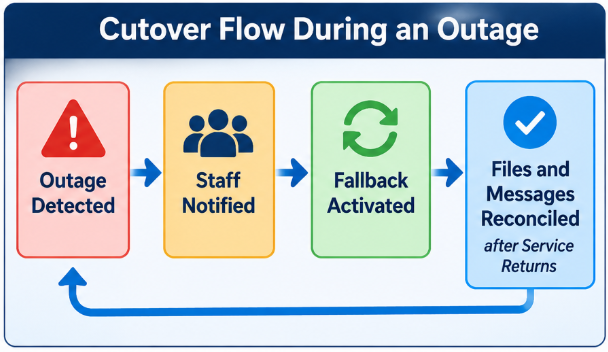
Having secondary storage, chat, or email options is the first step in the plan of business continuity. Employees should clearly understand instructions on how and when to make the switch, and how to avoid confusion over different copies of files.
Document the steps in a playbook and run simulations to find weak points before a real outage happens.
What could you do right now?
If your business did not have a continuity plan in place before an outage, focus first on low-risk ways to communicate and keep essential work moving. Any new service should be reviewed for security, access, and compatibility with your existing setup.
1. Consider a temporary channel for urgent outbound email. You could configure a subdomain with a separate email service for urgent emails. Make sure your setup has testing, and include domain verification and email authentication. You are not restoring access to your main email account but setting up a new email using a subdomain for urgent emails sent out. This could save an urgent deal or contract that's already in progress. Try to avoid having staff use their personal email accounts as you will end up with two problems, their email addresses in clients address books and work related emails scatter on personal accounts. Clients should be told through an official channel how to verify the communication from your company.
2. Consider an alternate messaging channel. A separate messaging service may help if staff can access it and it does not rely on the same unavailable services. A self-hosted option such as Rocket.Chat requires a working server and should be tested in advance. WhatsApp should only be used if company policy allows it, including its use on personal devices.
3. Tell clients where to find official updates. If company policy permits, use the official social media accounts along with other available channels so your clients know how to reach you and verify updates.
4. Track files created or changed during the outage. Keep an inventory of new files and edits made to local or cached copies. This can make it easier to reconcile them safely after the main cloud services are restored.
What to avoid during an outage
If you don’t have a tested business continuity procedure, avoid making changes that could create additional problems. For example, changing MX records without a plan can lead to different senders emails going to different email servers while your DNS caches update. It can also create email delivery and authentication problems if the receiving service and SPF, DKIM, and DMARC records aren’t configured correctly.
A planned and tested DNS change can be part of your business continuity strategy. The risk is making an untested change under pressure.
What to do once service is restored
1. Check for delayed or missing email. Sending email servers may retry emails for several days, usually 5, but delivery timing depends on the sender. Let staff know delayed emails may arrive, and check for missing or duplicated emails. Verify other affected services separately.
2. Build a continuity strategy. Review what was affected and develop a tested fallback plan for email, messaging, storage, and other critical services.
This week’s experience is a useful reminder to review how prepared we are for the next disruption.
Some useful references
- My article on an approach every company should have - Understanding the technology that drives your business is critical to your business survival.
- NIST: Contingency Planning Guide for Federal Information Systems - supports planning for system disruptions, recovery priorities, and continuity measures.
- NIST: Contingency Planning - covers alternate equipment, locations, and manual ways to keep essential work moving.
- CISA: StopRansomware Guide - supports the point that syncing alone may not protect data; it recommends offline backups and regular recovery tests.
- Microsoft: Manage emergency access accounts - explains how identity provider or network outages can prevent sign-in, and how to prepare emergency access.
- RFC 5321: Simple Mail Transfer Protocol - the technical reference for email queuing, retries, and MX behavior.
- Cloudflare: DNS record TTL - explains how DNS caching affects how quickly record changes are seen.
- Microsoft 365 Service Health - Microsoft’s status page for checking current service incidents. Since it changes over time, link to it as a live status resource rather than evidence of a past outage.